
Actionable germs are the crux of your project. Once you've made a germ Actionable, the logical next step is to assign an owner to it, who can take it through to completion.
- Double click on a germ to expand its contents.
- Set the State of the germ to Actionable
- Once a germ is made Actionable, additional fields open up below the title for you to Assign Owners and set Due Dates.
- If the germ has not been assigend to any collaborators yet, the "Assigned To" field reads "Unassigned". Click on this area and start typing the name of the collaborator you want to assign this germ to.
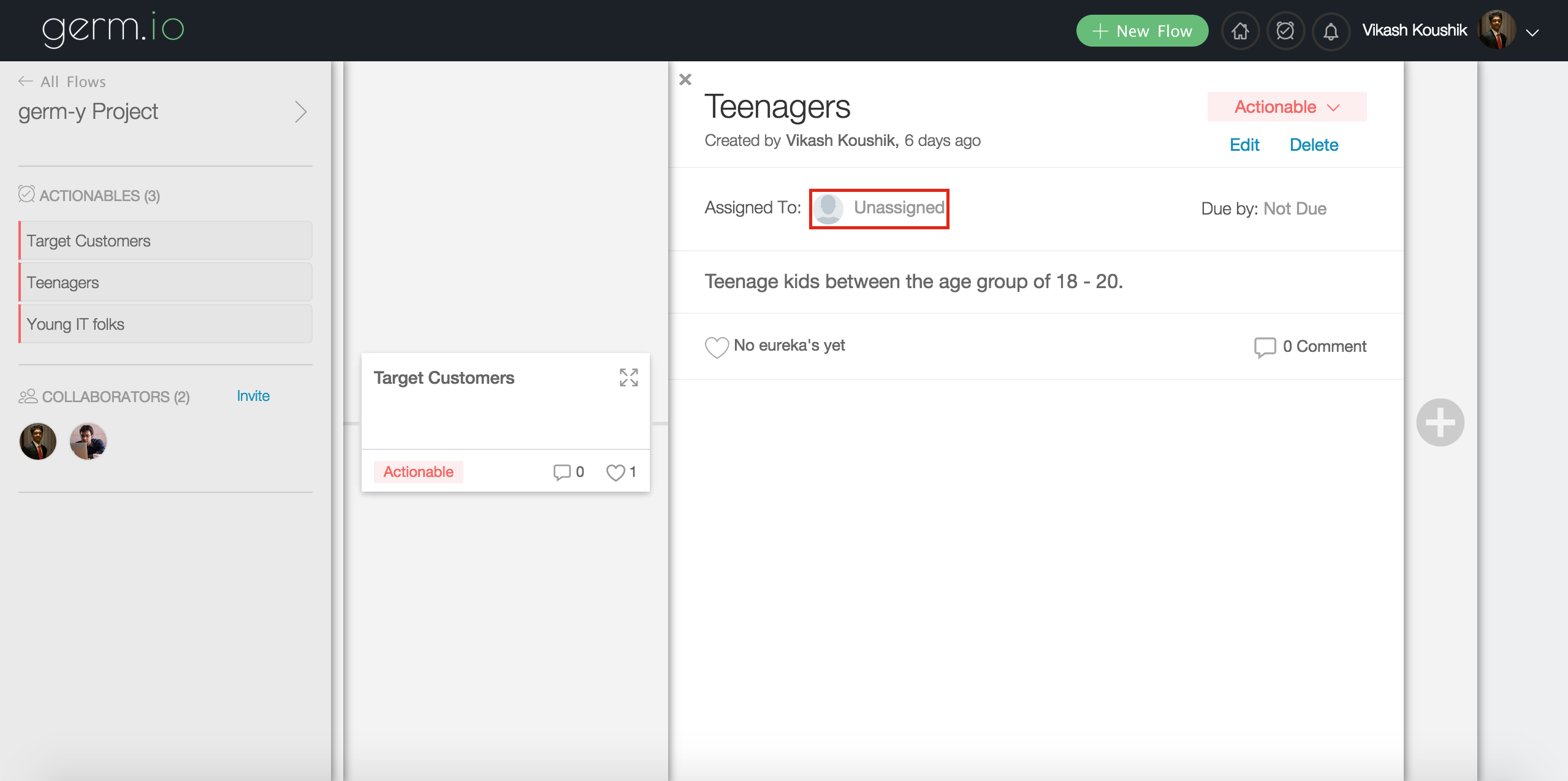
- If the germ was already assigned to someone else, hover on the name of the person and click on the "x" to make this unassigned. You can now assign it to another collaborator.
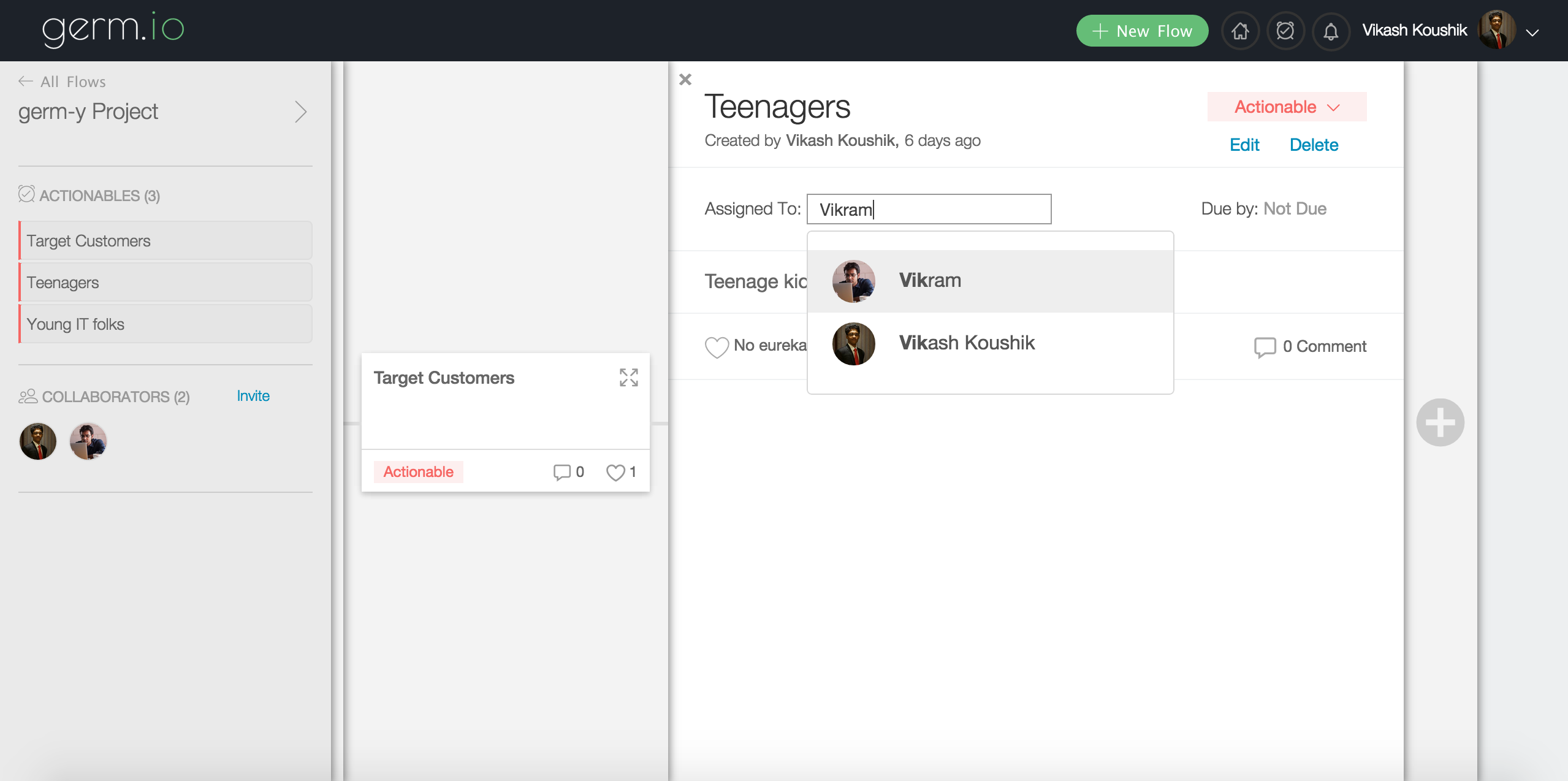
When you assign a germ to a collaborator, they will be notified both via email and through their notifications within germ.io.
Once a germ is assigned to a collaborator, it starts appearing in their "My Actionables" page as well.
NOTE: You can assign the germ only to people who have already been added as a collaborator in the flow.
Now that you have assigned the germ to your team mate, you can set a due date for your germ.